


A compact DJ rig hides three separate electrical systems behind one small footprint. Mains power feeds the amplifiers, controllers and fixtures. Audio signal travels from mixers to processors to loudspeakers. Lighting data travels from a lighting controller to every fixture in the rig. All three share the same floor, the same booth and often the same cable trunk — yet each one behaves differently when it sits next to the others. Mixing them up is one of the most common reasons a mobile setup buzzes, flickers or drops fixtures mid-show.
This guide walks through what each system actually carries, why the physical separation matters, and how to plan cable lanes, connector choices and labels so a DJ booth goes up cleanly and stays stable from soundcheck to the last track.
Three Systems, Three Different Jobs
It helps to name the systems precisely before touching a single cable.
Power carries mains alternating current at the local supply voltage. It feeds amplifiers, powered loudspeakers, the DJ controller, laptop chargers and every moving-head or wash fixture. A power run does not care about fidelity; it cares about delivering enough current without overheating, and about keeping its switching noise away from everything else.
Audio signal carries the show itself. Balanced microphone- and line-level runs move tiny voltages from source to destination, which is why they are sensitive company: anything induced along the way — hum from a shared power path, transients from a dimmed fixture — ends up in the mix.
Lighting data (DMX) carries neither sound nor mains. It is a digital control protocol: a stream of channel data that tells each fixture what intensity, colour or position to hold. The data is robust, but it depends on a clean, properly terminated chain to arrive intact.
The mistake happens because all three use round cables and — in the case of DMX and balanced audio — often the same three-pin or five-pin XLR-style connectors. On a dark dance floor, nobody sorts plugs by feel. Sorting happens at the planning stage or not at all.
Why DMX and Audio Cable Are Not Interchangeable
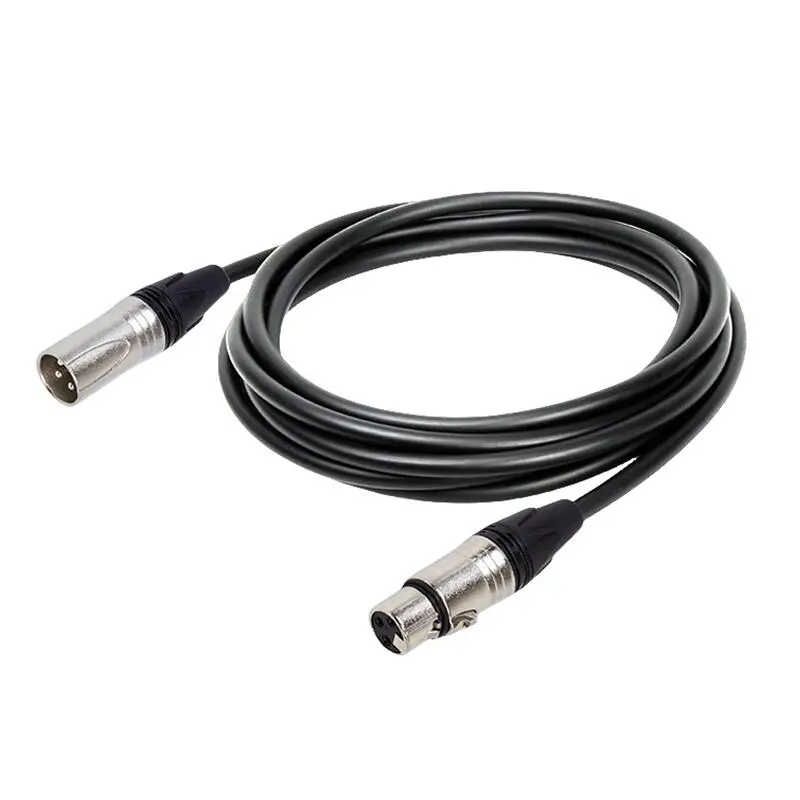
DMX and balanced audio both commonly use XLR-style connectors, and in a pinch a short mic lead may pass DMX data on a tiny rig. But the cables are engineered for different electrical environments, and the difference shows up in the construction data.
Take the dedicated DMX cable specification from the LESOUND cable range. The DMX512 type uses a twisted OFC conductor pair of 0.23 mm² (24 AWG) with PE insulation, a cotton filler to keep the pair geometry stable, and a double shield — braided OFC plus aluminium foil. Measured capacitance is 160 pF/m at 1 kHz. The heavier DMX1024 type adds a second conductor pair and lowers that figure to 98 pF/m, with the same braided-OFC-and-foil shield package.
Every one of those choices targets data integrity: the tight twisted pair keeps the differential signal balanced, the filler prevents the geometry from shifting when the cable is coiled and stepped on, and the double shield rejects the electrical noise that a lighting rig itself generates — dimmer racks and switch-mode supplies among the worst offenders.
Audio cable is optimised differently, and that is the point. A stage system works most predictably when each run is built for its own protocol: microphone and line runs for the audio lanes, dedicated DMX cable for the lighting lanes, properly sized speaker cable for the amplifier-to-loudspeaker runs. One cable type does every job acceptably; three cable types do every job properly.
Why Power and Signal Want Different Lanes
Mains wiring radiates, and audio cabling listens. When a power run and a balanced audio run sit parallel for metres at a time, the audio cable picks up whatever the power run emits — most audibly the mains hum that a hum-canceling circuit then has to fight. Lighting data tolerates this interference more readily than audio does, but a disciplined plan protects all three lanes at once, and it adds nothing to the load-in.
The working rules are simple and repeatable:
- Run separate lanes. Keep the power lane, the audio lane and the lighting-data lane physically apart — one along each side of the booth or stage, rather than braided into a single trunk.
- Cross at right angles. When lanes must meet, cross them at ninety degrees. A short crossing couples far less interference than a long parallel ride.
- Do not share power strips across systems. Audio gear and lighting fixtures each get their own power path from the distro, so a fixture’s switching noise stays out of the audio chain’s ground reference.
- Keep spare loops off the audio lane. Coiled excess cable stores neatly under the booth, not wrapped around a power extension.
A Routing Plan for a Two-Box DJ Rig
In practice, a mobile DJ setup sorts itself into four groups. Drawing them before load-in takes two minutes and saves ten at the venue.
1. The audio lane
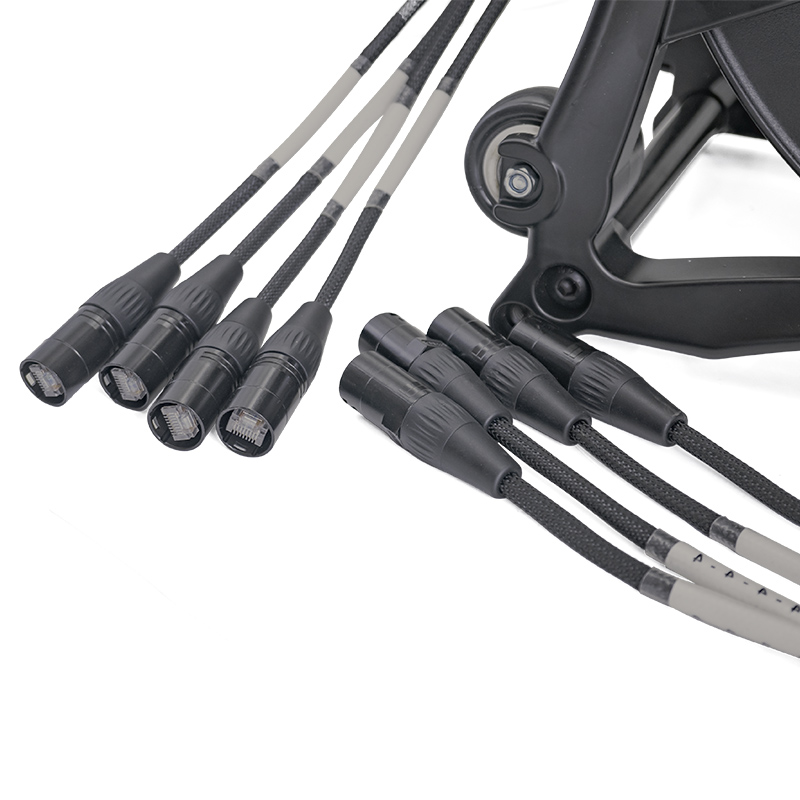
Mixer to processors, processors to powered loudspeakers: all balanced line runs on microphone-style cable, or a single audio snake cable when channel counts grow. A snake collapses many individual runs into one jacket, which keeps the audio lane a single tidy path instead of a sprawl.
2. The lighting-data lane
Controller to first fixture, then daisy-chain fixture to fixture on dedicated DMX cable, finishing with a terminator at the end of the chain. On multi-box rigs the 3-pin and 5-pin connector families both appear, which leads to the next section.
3. The speaker runs
On active rigs these are line-level and live in the audio lane. On passive rigs, amplifier-to-loudspeaker runs are their own task: they carry real power at speaker level and deserve properly sized speaker cable with locking connectors. The gauge question is covered separately in our cable overview.
4. The power lane
One distro or power source, then separate circuits for audio gear and lighting. Nothing else shares a strip with the audio chain. Where the power lane must pass the audio lane, it crosses — it does not travel alongside.
The same discipline extends to what sits on the booth. A booth surface that separates the controller, the lighting desk and the cable exits makes the lane structure visible at a glance; the DJ booth and DJ table pages cover the furniture side of that layout.
Connector Realities: 3-Pin, 5-Pin and Adapters
DMX gear mixes two connector families. Controllers and fixtures arrive with either 3-pin or 5-pin XLR-style sockets, and a rental fleet rarely agrees with itself. Carrying the right adapters removes the problem entirely, and this is where a supplier’s connector matrix earns its keep.
Within the LESOUND DMX range, dedicated adapter types cover the common cases: 3-pin female to 5-pin male (DMX007), 5-pin female to 3-pin male (DMX008), and a splitter that takes one 5-pin female output to two 3-pin male runs (DMX009). Alongside them sit the main cable types in both families — 3-pin and 5-pin versions of the dedicated lighting-data cable — so a chain can be built without improvising a single link from mic stock.
One caution belongs here: an adapter solves a connector mismatch, not a cable mismatch. Converting the plug does not turn a thin mic lead into lighting-data cable, so long or critical chains should still be built on dedicated DMX runs and only bridged across families where the two standards genuinely meet.
Labelling: The Cheapest Fix on the Truck
Colour coding and labels turn a mixed trunk back into a plan. A practical scheme needs nothing elaborate:
- Wrap power, audio and DMX trunks in distinct tape colours, and repeat the colours on the case compartments.
- Tag both ends of every run — “MIXER → SUB L” beats “long black” at soundcheck.
- Store adapters in a fixed pouch with the DMX stock, not loose in the accessory box where they migrate into the mic-cable bag.
- Recoil each system separately at pack-down. Mixed coils at midnight become crossed lanes at load-in.
Nobody applauds a labelled case. But the crew that labels is the crew that finishes soundcheck with time to spare.
Building the Lane Plan Into Your Stock
Separation on stage starts with separation in the cable case. When the audio, lighting and speaker runs are distinct products — rather than one generic spool cut to length — the lane plan survives contact with a real load-in, because each lane pulls its own dedicated stock.
LESOUND manufactures pro audio cabling under its Yinyu brand — microphone and line cable for the audio lanes, dedicated DMX cable with twisted OFC pairs and double shielding for lighting data, speaker cable and connector families for the amplification runs — alongside the snake solutions that bundle multi-channel audio into a single jacket. For a stock checklist built around a DJ booth, the booth cable checklist and the microphone cable pages are the natural starting points, and the lighting stand range pairs with the DMX lane for the rig above it.
Plan the lanes once, label the case, and the three systems that share the stage stop interfering with each other. That is the whole trick: separation is not extra work — it is the same work, done in the right order.
Post time: Oct-27-2026