


Walk onto a well-run stage today and you will still find the backbone of the signal chain built on copper: balanced XLR runs, TRS patch points, speakon-terminated speaker lines. Digital connectors have not replaced that backbone. What they have done is claim two specific jobs that analog lines were never designed for — carrying control and multichannel audio between instruments and computers, and carrying video with embedded audio between devices on stage and at the front of house. USB and HDMI each earn their place in a professional setup when the job matches what the connector was built for, and become a liability when a buyer treats them as a substitute for balanced analog lines.
This guide sets out where each connector belongs, where it does not, and what to verify on a spec sheet before you put either one into a rental stock or an install.
Start With the Job, Not the Connector
The fastest way to mis-specify a digital cable is to shop by connector family instead of by task. A practical framing for dealers and rental houses:
- Microphones to console or interface: balanced analog over XLR. This remains the default for stage and studio capture, and no consumer digital cable changes that.
- Instruments, keyboards and MIDI controllers to computers: USB, either through an audio interface or through dedicated USB audio and MIDI cables.
- Video with embedded audio: HDMI, typically for presentation rigs, lyric screens, IMAG feeds and playback systems.
- Speakers and long runs: dedicated speaker cable with locking connectors, sized by run length and amplifier specification.
Once the task is named, the connector question largely answers itself. The two digital families earn their place in the second and third rows, and nowhere else.
USB: The Instrument-to-Computer Link
USB has quietly become the most useful digital connector in a working musician’s kit, because it collapses what used to be a three-box chain — instrument, audio interface, computer — into a single cable run in many situations.
USB Type-C to XLR and 6.35mm: Direct Recording Without a Box
A growing category of hybrid cables terminates one end in USB Type-C and the other in XLR or quarter-inch connectors. The cable carries its own converter circuitry, which means a microphone or a keyboard can be recorded into a laptop, tablet or phone without a separate interface. For podcast and streaming setups, teaching studios and mobile recording rigs, this removes a device from the chain, a power supply from the case, and two points of failure from the setup.
Spec sheets for this category deserve close reading, because conversion quality varies widely across the market. On the LESOUND line, the USB audio cable specification converts at 16 bit / 48 kHz or 44.1 kHz with a signal-to-noise ratio around 83 dB and roughly +20 dB of signal boost available for low-output sources, and the cable is driver-free across current Windows and macOS versions. For spoken word and demo recording this is comfortably inside professional expectations; for full-bandwidth tracking, a dedicated interface still holds the advantage, and honest dealers say so.
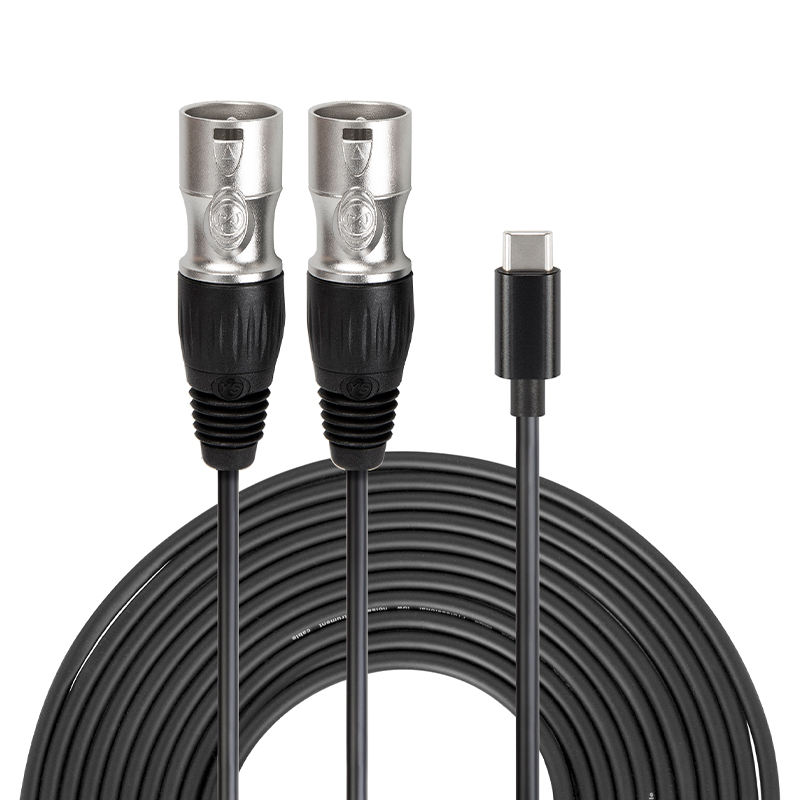
Factory photo: USB Type-C to dual XLR cable from the LESOUND cable line.
USB-MIDI Cables for Keyboards and Controllers
A separate branch of the family pairs USB with 5-pin DIN MIDI connectors. These carry control data, not audio, and they matter to houses that stage keyboardists and electronic performers. The checks that matter are simpler than audio specs: driver-free operation on the target operating systems, braided shielding on the conductor, and a length that suits the stage plot. At 1.8 metres the common configurations cover a keyboard on a stand at front stage without excess slack at the mixer end.
For a rental stock, USB-MIDI cables are cheap insurance. They solve the guest-artist problem — a performer arrives with a controller and an expectation, and the house hands over one cable instead of improvising an adapter chain.
Where USB Stops Being the Right Tool
USB is not a stage-length connector. Consumer form factors were never designed for runs much beyond a few metres, for the electrical noise environment of a stage, or for the mechanical abuse of repeated coil-and-throw handling. When the run grows past the backline area, the job moves back to balanced analog or to a digital stage box fed by proper multichannel trunking. Keeping a few USB hybrid cables in the backline drawer is good practice; running your main vocal capture over USB is not.
HDMI: Video First, Audio Second
HDMI belongs to the professional audio inventory for one reason: modern events carry video. Lyric and slides screens, conference presentation, playback for broadcast-style productions — all of these pass through HDMI, and the audio that rides inside the same cable often needs to be extracted, delayed and mixed by the audio crew.
Where HDMI Audio Actually Works
HDMI carries multichannel audio embedded alongside video, including high-bitrate formats such as Dolby TrueHD and DTS-HD Master Audio as bitstreams. In a presentation or playback context this is a genuine workflow gain: one cable from a playback laptop to a switcher or processor delivers picture and programme audio together, and the front-of-house processor splits them out where needed. Corporate AV, houses of worship and event production companies live in this territory daily.
What HDMI audio does not do is replace a microphone cable. There is no capture path, no gain staging and no balanced architecture in an HDMI link. When a client asks for “HDMI into the desk”, the productive answer is usually an extraction or embedding device at the boundary — and properly specified analog or AES lines beyond it.
Reading an HDMI Spec Sheet for the Road
Not all HDMI cables survive professional use equally well, and the differences are visible on the spec sheet rather than in marketing copy. The specification points worth confirming:
- Bandwidth class: High Speed HDMI with Ethernet handles resolutions from 480i through 1080p up to 4K, with a 10.2 Gbps transfer rate on the LESOUND HDMA series — sufficient for the majority of corporate and live-event playback work.
- Shielding structure: quad-layer braided shielding combined with mylar-foil shielding protects the signal against RF and EM interference on a stage, where lighting dimmers and switch-mode power supplies are constant noise sources.
- Connector construction: molded strain relief at both ends is the difference between a cable that survives a season of coiling and one that fails at the plug. This is the same construction discipline applied across the Yinyu cable range.
- Connector matrix: beyond the standard Type A to Type A configuration, Mini and Micro HDMI variants and HDMI-to-DVI adapters cover the older projectors and compact cameras that still appear in corporate stock.
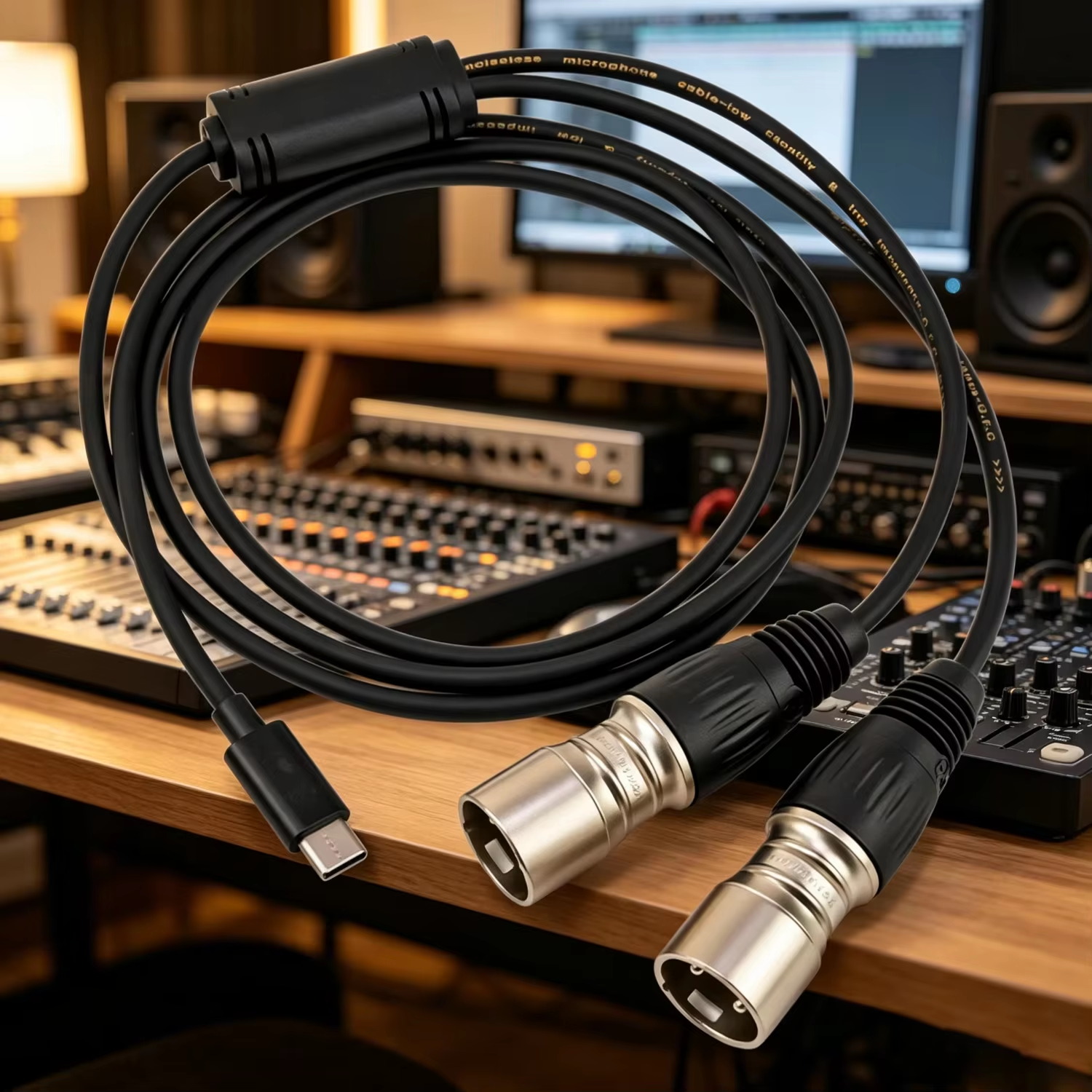
Factory photo: USB Type-C to XLR cable on a studio desk, LESOUND cable line.
Planning a Hybrid Rig: A Practical Checklist
For dealers building a quote or rental houses auditing a stock, a short checklist keeps the digital families in their lanes:
- Map every source and destination. List what generates audio, what captures it, what displays video, and what connects to what. USB appears wherever a computer is a source or destination; HDMI appears wherever a screen is in the path.
- Keep balanced analog between microphones and consoles. Long runs, live gain staging and phantom power all live here. Convert at the boundary device, not in the cable.
- Verify conversion specs on USB hybrid cables. Sample rate, bit depth, signal-to-noise ratio and driver-free OS support are the four numbers that separate usable stock from returns.
- Buy HDMI by bandwidth class and shielding, not by length alone. A shielded 1080p-class cable that survives a season beats a longer unshielded run that drops signal mid-event.
- Stock the adapters that close the gaps. Mini and Micro HDMI, HDMI-to-DVI, and USB-MIDI adapters resolve the legacy-device encounters that stall load-ins.
- Label and segregate. USB, HDMI, DMX and analog lines look alike at 11 p.m. Colour bands, printed categories and disciplined case slots prevent the cross-plugging that costs a soundcheck.
Where LESOUND Fits In
LESOUND manufactures the full cable inventory a hybrid rig needs, under the company’s Yinyu brand for the cable and stand lines: balanced XLR and TRS assemblies, speaker cable with locking connectors, multichannel snake solutions for stage-to-FOH trunking, the USB Type-C hybrid recording cables described above, USB-MIDI cables, and the HDMA HDMI series with the shielding and strain-relief construction outlined in this guide. Standard configurations are listed in the 2026 cable catalogue, and OEM buyers can specify length, connector plating, braiding colours and private-label packaging against their own stock profiles.
For distributors and rental operators, the useful conversation is not “USB versus XLR” — it is which jobs in your customer base produce repeatable demand for each family, and stocking to those jobs. A mixed inventory that keeps balanced analog at the core, USB at the computer boundary and HDMI at the video boundary covers the majority of working rigs without stranding stock in either direction.
Browse the cable range on the LESOUND cables page, or review the audio cables and audio snake cables categories for the analog backbone that still carries the show. OEM enquiries are handled directly by the LESOUND export team.
Post time: Nov-13-2026